Chat in every trade
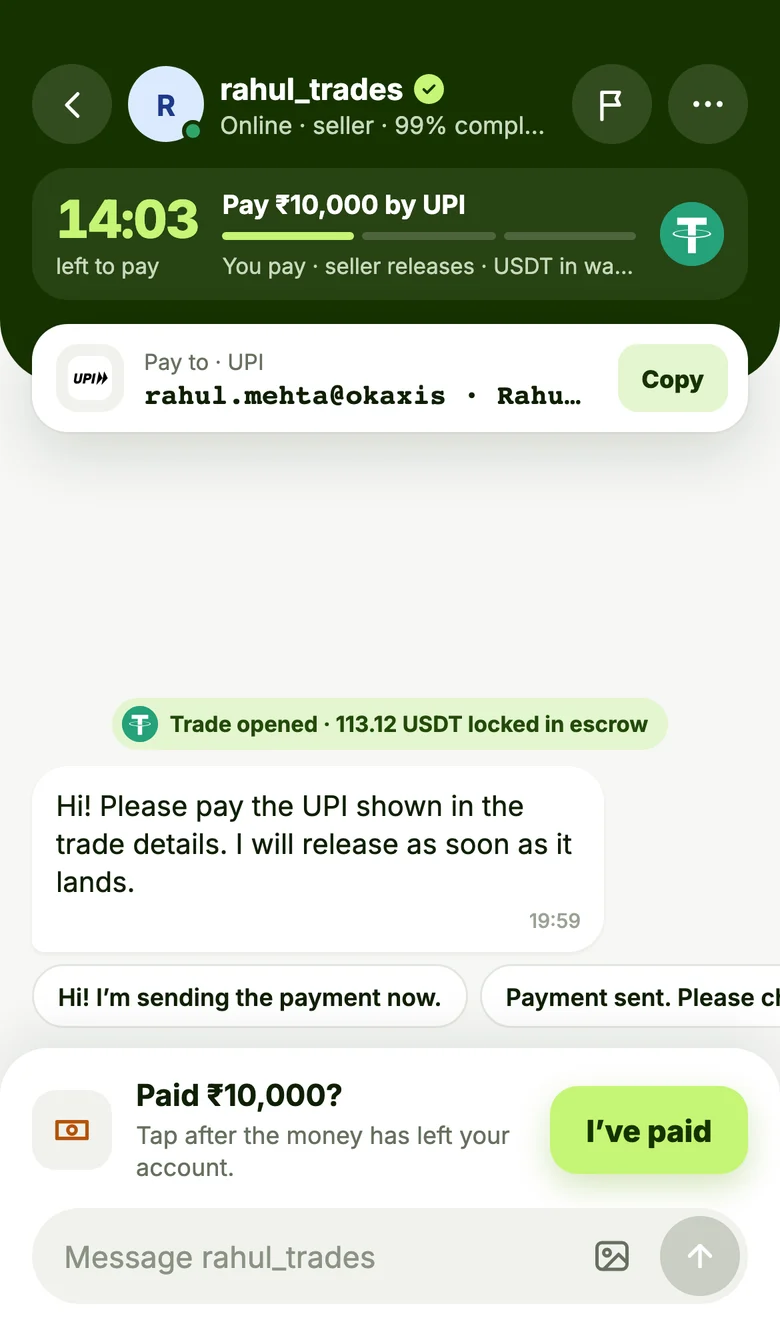
The payment details, a countdown and the chat with your trade partner, all on one screen. Alerts arrive even when the app is closed.
Buy and sell crypto with people, chat inside every trade and get an alert the moment your buyer pays. Same account as peerlyx.com.
Your balance, the trades waiting on you, live prices and your record, without hunting through menus.

The payment details, a countdown and the chat with your trade partner, all on one screen. Alerts arrive even when the app is closed.
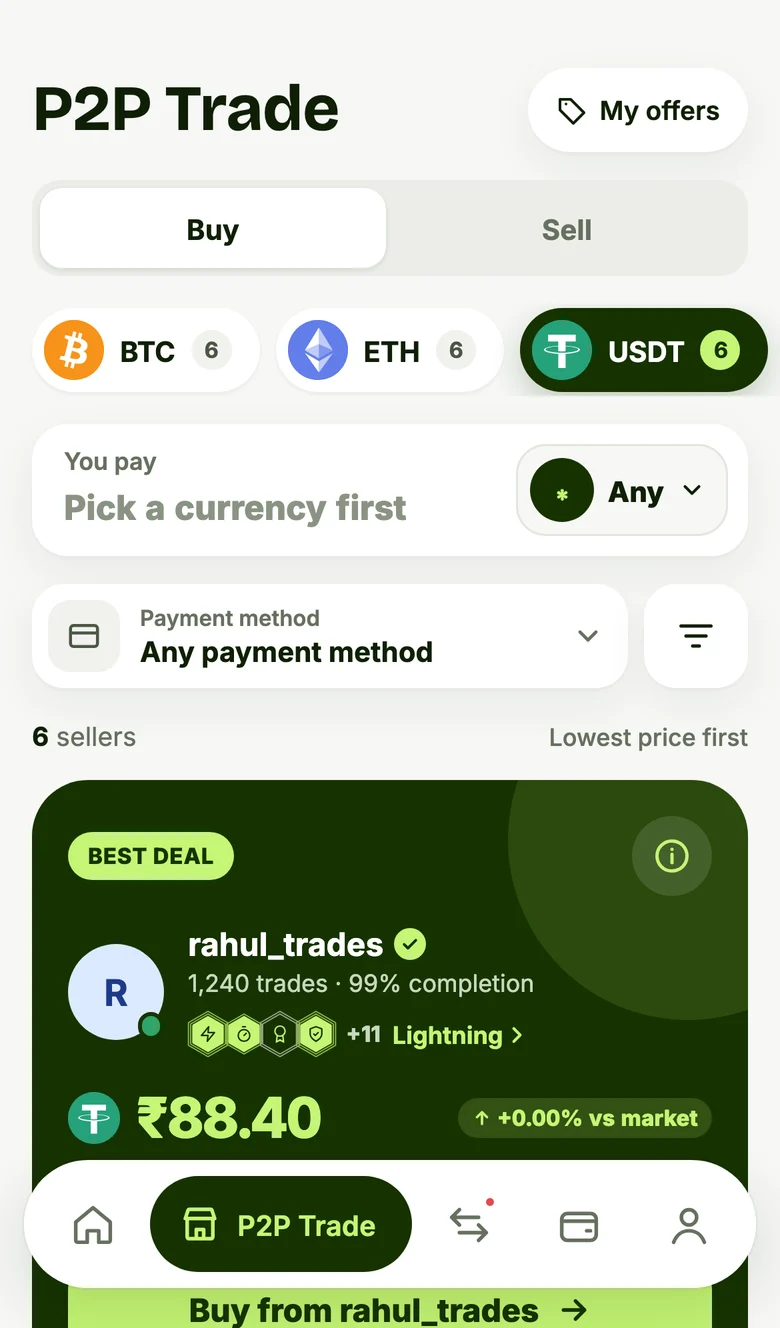
Filter by coin, currency and payment method. The best price is at the top, with the trader’s record.
The app comes straight from peerlyx.com, not Google Play, so Android asks once before installing. That’s expected.
The App Store version is on its way. Until then, add Peerlyx to your Home Screen:
Install peerlyx.com as an app: its own window and icon, and trade alerts even when the browser is closed.
ID checks now run with Didit, our new verification partner: photograph your ID and take a selfie inside the app. Live chat reconnects more gently, and the wallet waits until your email is verified.
SHA-256 of the file: 6dbf0f7072abafcd7c2c074bd4e8d32fbaf8597a593984f192a1683169ceb569
Signing certificate: B7:54:AB:D6:6A:CC:A2:78:AC:C7:36:AD:8D:C6:AE:39:2A:50:94:67:69:66:51:25:48:8E:17:E6:A4:B1:5F:97
We publish the Android app ourselves, on peerlyx.com. It’s signed by Peerlyx, and you can check the file’s fingerprint above. Only download it from peerlyx.com.
No. Sign in with the email or Google account you use on peerlyx.com. Your wallet, trades and chats are the same.
The app tells you when a new version is ready. Download it from this page and install it over the old one. You stay signed in, and your wallet and trades are safe.
No. The app is free to download and use. Trading works exactly as it does on peerlyx.com.